8 Best AI Tools for Software Development
UpdatedOctober 14th, 2025

Are you fed up with seeing your valuable coding hours wasted? Here’s a stark reality by a recent survey: coders waste over 8 hours each week on unproductive tasks repeated work, and shifting focus. That’s pretty much a full day down the drain!
AI tools for programmers aren’t just a cool extra anymore; they are a must-have in 2025. McKinsey reports that 67% of companies aim to boost their AI spending over the next three years, and there’s a solid explanation for this trend.
AI coding tools are built to fix these time sinks, while the top AI programming aids automate boring jobs. Plus, today’s AI coding helpers cover everything from finishing code to finding bugs, which makes teamwork way easier. In fact, AI developer tools use smart tech to help with cleaning up code writing docs, and a whole lot more.
We have put in a ton of time checking out different tools to see which ones do what they claim. This article skips the hype and gives you 8 top AI tools for software development that really do save time and boost productivity. No fluff, no overstatements, just useful tools that will change how you work.
What are Artificial Intelligence Tools for Software Developers?
Artificial Intelligence (AI) tools for software developers are advanced platforms or applications that leverage machine learning, natural language processing, and predictive analytics to assist, enhance, and often automate various stages of the software development lifecycle. These tools are designed to reduce manual effort, improve code quality, speed up delivery, and enable smarter decision-making.
From writing and reviewing code to testing, debugging, and deployment, AI tools act as intelligent collaborators that streamline repetitive tasks and help developers focus on more strategic and creative aspects of development.
Key Functions of AI Tools in Software Development
- Code Suggestions & Autocompletion: AI-powered IDEs like GitHub Copilot or TabNine provide intelligent code snippets based on context.
- Bug Detection & Error Prediction: Tools like DeepCode and CodeGuru analyze codebases to identify vulnerabilities and suggest fixes.
- Automated Testing: AI testing tools generate test cases, predict potential failures, and accelerate QA cycles.
- Project Planning & Estimation: AI helps in sprint planning, task prioritization, and time estimation using historical data.
- DevOps & CI/CD Automation: Smart bots and AI assistants handle build optimization, deployment workflows, and monitoring.
As development teams face growing pressure to deliver faster without compromising quality, AI-backed tools are becoming essential allies, enabling developers to work smarter, reduce technical debt, and accelerate innovation.
Let’s even check a quick comparison table before jumping into a detailed analysis of each AI tool aiding software development.
Side-by-Side Comparison of the Best AI Tools for Software Development
We have compiled a detailed comparison of some of the most powerful and developer-friendly platforms available today. Whether you’re looking to automate code reviews, streamline testing, or boost productivity with smart suggestions, this table will give you a clear snapshot of each tool’s strengths, ideal use cases, and unique capabilities.
| Tool |
Key Features |
Starting Price |
Main Use Case |
| Cursor |
- AI assistant with chat panel
- Intelligent code completion
- Composer Mode
- Agent Mode
|
Free (Hobby Plan) |
Modern, complex projects requiring frequent context-switching |
| Pieces |
- Long-Term Memory Engine
- Code snippet management
- 100% offline operation
- Multi-LLM integration
|
Free (Currently) |
Developers juggling multiple projects, languages, and contexts |
| Figstack |
- Code explanation
- Language translator
- Docstring writer
- Time complexity analyzer
|
Free (30 credits/month) |
Understanding unfamiliar codebases and cross-language development |
| Mutable AI |
- AI-powered code generation
- Prompt-driven development
- Test generation
- Documentation assistance
|
$10/month per seat |
Eliminating repetitive coding tasks and improving documentation |
| Sourcegraph Cody |
- Deep contextual understanding
- Multi-LLM flexibility
- Chat functionality
- Inline edit capability
|
Free |
Large, complex codebases where context matters |
| CodeGeeX |
- Multilingual code generation
- Code translation
- AI-powered chatbot
- Automatic comments
|
Free |
Cross-language development and code translation |
| OpenAI Codex |
- Parallel task execution
- Cloud sandbox environment
- Verifiable evidence
- AGENTS.md customization
|
$20/month (ChatGPT Plus) |
Offloading repetitive, well-scoped tasks |
| Sourcery |
- Real-time refactoring
- Automated code review
- CI/CD integration
- IDE compatibility
|
Free (Open Source) |
Python development and code quality improvement |
AI Tools for Software Developers: Features, Benefits & Use Cases
We explore the top AI tools for developers highlighting their key features, benefits, and real-world use cases. Whether you’re streamlining code, automating testing, or accelerating delivery, these tools are built to make software development faster, smarter, and more efficient.
1. Cursor
Think about having a smart coding buddy that knows what you’re going to do next. Cursor shines as a strong AI-powered code editor built on VS Code’s open-source base made to help you write, edit, and grasp code quicker and better.
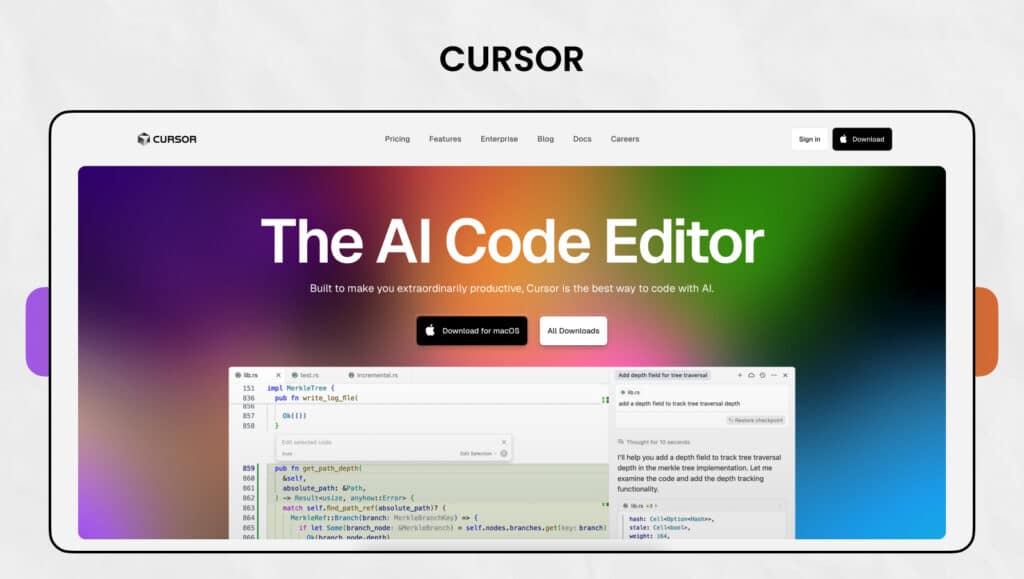
Cursor Key Features
- AI Assistant in Chat Panel: Interact with Cursor’s AI assistant to ask questions, get code explanations, or generate code—all with awareness of your open files and selected snippets for contextual help.
- Smart Code Completion: Goes beyond basic autocomplete by suggesting entire functions or multi-line edits and adapting to your coding patterns. Automatically adds missing imports for TypeScript and Python.
- Composer Mode: Describe your app in natural language and let Composer Mode generate complete components or features using your existing project structure and context.
- Agent Mode: Automate large-scale edits across your project. Agent Mode navigates and modifies multiple files intelligently ideal for sweeping changes and refactors.
- Context Management with .cursorrules: Use .cursorrules files to guide AI behavior—set commit message length, enforce coding standards, and maintain consistency across the codebase.
| Pros |
Cons |
| Code suggestions that fit your project’s context |
Trouble with old systems and complicated code |
| Privacy setting restricting code data sharing with outside servers |
Prices can be hard to understand and change often |
| Growing fan base (73,000 Reddit users, 30,000 GitHub stars) |
Busy screens with AI tools and pop-ups |
| Works with your terminal to help create commands |
ideas range from great to sometimes wrong |
| Smart bug detector & Saves time each day by writing commit messages for you |
|
Cursor AI Pricing
Cursor has different pricing options to suit various needs:
| Plan |
Pricing |
Key Features |
| Hobby |
Free |
Pro two-week trial, limited agent requests, limited tab completions |
| Pro |
$20/month |
Unlimited completions, extended agent limits, access to Bug Bot and Background |
| Business |
$40/user/month |
Everything in Pro plus org-wide privacy mode, admin dashboard, centralized billing, SSO |
The free plan lets you sample what Cursor can do, but you’ll need to upgrade for advanced features. Each option comes with its own limits on agent requests and model access, and pricier plans give you more leeway.
Cursor Best Use Case
- Handling Complex, Multi-Task Projects
- Navigating and Editing Unfamiliar Code
- Rapid App Framework Generation
- Reducing Debugging and Refactoring Time
- Power Tool for Skilled Developers
- Seamless Multi-Language Support
- Time-Saving Auto-Import for TypeScript & Python
Automatically handles missing imports, eliminating the need to search and insert statements in supported languages manually.
2. Pieces
Have you ever wanted your coding setup to remember everything you’ve worked on? Pieces makes this idea real as a smart AI-powered tool that boosts your productivity acting like a second brain for your code and development know-how. This AI tool for software developers acts as a magic wand in the crisis.
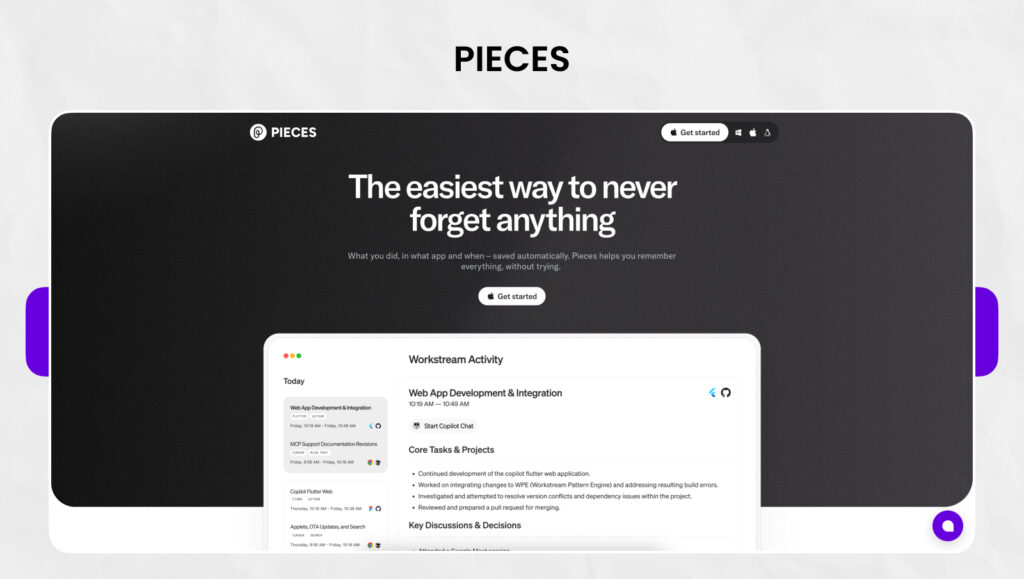
Pieces Key Features
- Long-Term Memory Engine: Stores up to 9 months of workflow context across Windows, macOS, and Linux, enabling your on-device LLM to deliver highly relevant, context-aware responses.
- Smart Code Snippet Management: Save code from anywhere, IDEs, websites, images, or files. Pieces enriches snippets with AI-generated tags, descriptions, and metadata for easy retrieval.
- Offline-First with Air-Gapped Security: All data is stored and processed locally, ensuring maximum privacy. Get AI-powered assistance without sending sensitive information to the cloud.
- Multi-LLM Support: Choose between multiple cloud and local language models. Flexibly switch based on your task or privacy needs, something most AI dev tools don’t offer.
- Seamless Cross-Platform Integration: Integrates with popular tools like VS Code, JetBrains, Visual Studio, and Jupyter Lab, enabling smooth transitions and reducing context switching.
Pieces Pros and Cons
| Pros |
Cons |
| Cuts down on time by organizing code snippets |
Uses a lot of system resources and might slow your computer down |
| Keeps everything private with offline, on-device processing |
Has many features, which make it hard to learn at first |
| Tags and arranges saved snippets so you can find them easily |
Sometimes slows down when you have lots of snippets |
| Works with popular IDEs and browsers |
Copying to clipboard doesn’t always work right |
| Gets the context of how you work |
|
| Can change code from one language to another |
|
Pieces Pricing
Right now, Pieces has a simple pricing plan:
| Plan |
Pricing |
Key Features |
| Free |
$0 |
Core developer productivity features, Pieces Copilot, Pieces Drive, Long-Term Memory Engine |
| Teams |
Contact for pricing |
Shared team context, Support for custom LLMs, Priority support |
Their website states, “We are 100% free for all users, and are exploring enterprise pilots“. But they’ve hinted they “will start charging soon,” so signing up might get you a discount.
Pieces Best Use Case
- For Solo Developers Managing Multiple Projects
- For Organizing Code Snippets and Reuse
- For Tech Leads & Team Knowledge Sharing
- For DevOps and System Administrators
- For Privacy-Conscious Developers
3. Figstack
As a software developer, trying to understand complex code written by others can feel like solving a tricky puzzle. Figstack tackles this problem head-on. It’s an AI-powered toolkit designed to help coders get, explain, and improve their code across many coding languages.
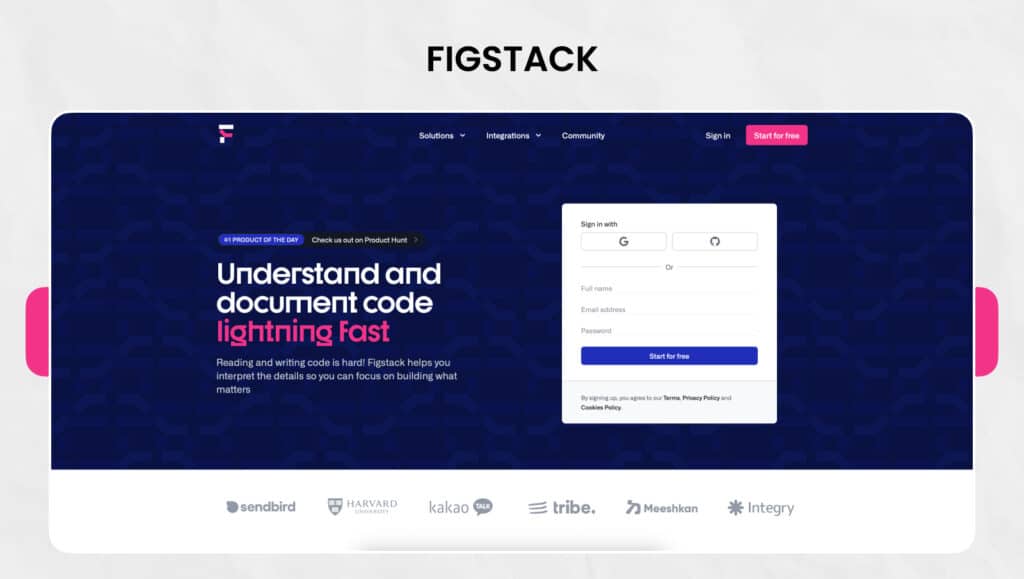
Figstack Key Features
- Explain Code: Breaks down complex code snippets into simple, human-readable explanations—ideal for understanding unfamiliar code quickly without manual analysis.
- Language Translator: Converts code between languages like Python, JavaScript, Java, Ruby, and C++—perfect for porting apps or learning a new language with ease.
- Docstring Writer: Automatically generates comprehensive documentation for functions, including parameter details, return types, and exceptions—saves time and boosts code clarity.
- Time Complexity Analyzer: Evaluates the efficiency of your code using Big O notation—helps identify performance bottlenecks and improve overall code optimization.
- GitHub Integration: Seamlessly integrates with GitHub, enhancing collaboration and version control within your team’s existing development workflow.
Figstack Pros and Cons
| Pros |
Cons |
| Turns complex code into easy-to-understand explanations |
Free plan gives 30 credits each month |
| Smoothly changes code between many programming languages |
Needs internet to work fully |
| Creates detailed docstrings to document functions |
Best features come with paid plans |
| Looks at time complexity to make code run faster |
Takes time to learn how to use all feature |
| Works with GitHub to improve version control |
Relies on platform updates to stay effective |
| Has an easy-to-use interface for developers of all levels |
|
Figstack Pricing
Figstack has simple pricing options:
| Plan |
Pricing |
Key Features |
| Free |
$0 |
Limited to 30 credits/month, basic features |
| Paid |
$9/month |
Unlimited access to all features |
To get the latest pricing info, check Figstack’s official website. They might offer special discounts for students and nonprofits.
Figstack Best Use Case
- Onboarding to New Projects
- Switching Between Programming Languages
- Automating Documentation
- Learning & Skill Building
- Lightweight, Developer-Friendly AI Tool
4. Mutable AI
Do you want to make your coding more productive without a lot of setup? Mutable AI offers a strong solution that has an impact on the software development cycle by cutting out repetitive coding work and boosting overall productivity. This AI tool for software developers is worth investing in as it brings a lot more on the table. Let’s have a look at it,
Mutable AI Key Features
- One-Click AI Code Generation: Generates high-quality, production-ready code instantly—eliminates time spent on boilerplate coding and Stack Overflow searches.
- Prompt-Driven Development: Lets developers instruct the AI to make specific code changes—enables quick, tailored edits without manual rewrites.
- Upcoming AI-Powered Test Generation: Soon-to-launch feature that uses AI and metaprogramming to auto-generate unit tests—reduces the manual burden and speeds up test coverage.
- Seamless Tool Integration: Integrates smoothly with VS Code, Jupyter, and GitHub—provides AI support within familiar development environments, minimizing workflow disruption.
- Wikipedia-Style Documentation: Automatically transforms code into readable, source-backed documentation—makes it easier for teams to understand and maintain codebases.
Mutable AI Pros and Cons
| Pros |
Cons |
| Speeds up development by automating common coding tasks |
Setting up at first can take a while |
| Creates maintainable, production-ready code from basic prompts |
Some users might find it hard to learn |
| Has endless context awareness of the whole codebase |
Relying too much on AI could hurt coding skills |
| Makes teamwork easier through better documentation |
Documentation tools sometimes get complex code structures wrong |
| Works with GitHub to improve version control |
Relies on platform updates to stay effective |
| Costs might be too high for smaller teams |
|
Mutable AI Pricing
Mutable AI has three different pricing plans:
| Plan |
Pricing |
Key Features |
| Basic |
$10/month per seat |
Individual developers |
| Codebase Pro |
$25/month per seat |
Professional teams |
| Enterprise |
Custom pricing |
Large organizations |
Each tier builds on the previous one by adding more features and capabilities. The Basic plan offers essential AI coding help, Codebase Pro includes advanced tools for professional development teams, while Enterprise provides customized solutions designed to meet specific organizational needs.
Mutable AI Best Use Cases
- Eliminating Repetitive Coding Tasks
- Streamlining Project Documentation
- Supporting Multi-Language & Full-Stack Workflows
- Boosting Productivity for Individuals & Teams
- Value for Pro & Enterprise Users
5. Sourcegraph Cody
Exploring complex codebases often feels like finding your way through a maze. Sourcegraph Cody acts as your AI-powered companion using codebase context to help you grasp, create, and repair code more across your whole project ecosystem.
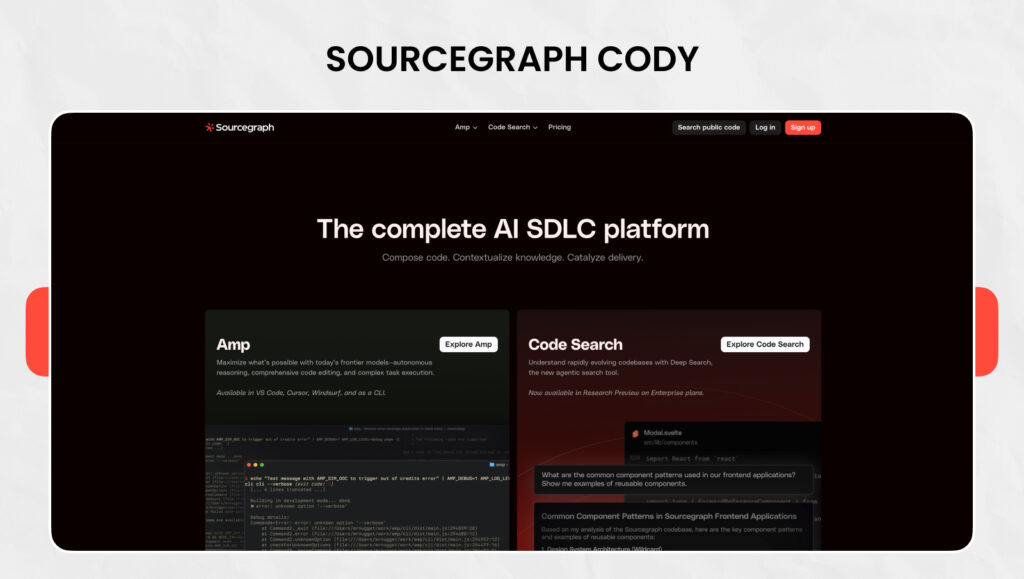
Sourcegraph Cody Key Features
- Deep Contextual Understanding: Uses Sourcegraph’s advanced code search to pull context from local and remote repositories—offers precise insights into APIs, symbols, and usage across your entire codebase.
- Multi-LLM Flexibility: Supports top AI models including Claude Sonnet 4, GPT-4o, Mixtral, and Gemini 1.5—lets you choose the right model for the task, instead of being locked into one provider.
- Natural Language Code Chat: Chat with Cody about your codebase using natural language—@-mention files or symbols to narrow down context and get focused responses.
- Intelligent Autocomplete: Offers single-line and multi-line code suggestions as you type—helps write better code faster without breaking your flow.
- Inline Code Editing: Modify or fix code directly within files using inline AI-powered edits—ideal for refining logic or updating patterns quickly.
Sourcegraph Cody Pros and Cons
| Pros |
Cons |
| Cody helps engineers save about 5-6 hours each week and write code two times faster |
The non-invasive interface sometimes misses suggestions |
| Gives context beyond code by working with tools like Notion and Linear |
How well it works depends on how complex the codebase is |
| Shows sources for its answers, so you can check them |
You need a subscription to get premium features |
| Works with any coding language or framework |
Takes time to learn all the commands Limited usage |
| Gives you choices for LLM without training on your code |
|
Sourcegraph Cody Pricing
| Plan |
Pricing |
Key Features |
| Free |
$0/month per seat |
Access to Claude Sonnet 4 and other models with rate limits |
| Enterprise Starter |
$19/user/month |
Cloud-hosted, up to 50 developers |
| Enterprise |
$59/user/month |
Enterprise security, scalability, and flexibility |
Note: Starting July 23, 2025, Cody Free and Pro plans will stop, but Enterprise plans will continue to get full support.
Sourcegraph Cody Best Use Case
- Navigating Large, Complex Codebases
- Enterprise-Grade Security & Compliance
- Accelerating Onboarding for New Developers
- Supporting Multi-Service, Multi-Repo Teams
- Seamless Integration with Existing Workflows
6. CodeGeeX
Software developers looking for help with code in multiple languages can turn to CodeGeeX, a robust AI tool trained on a huge collection of programming languages. This large-scale model has 13 billion parameters that were pre-trained using over 850 billion tokens from more than 20 programming languages.
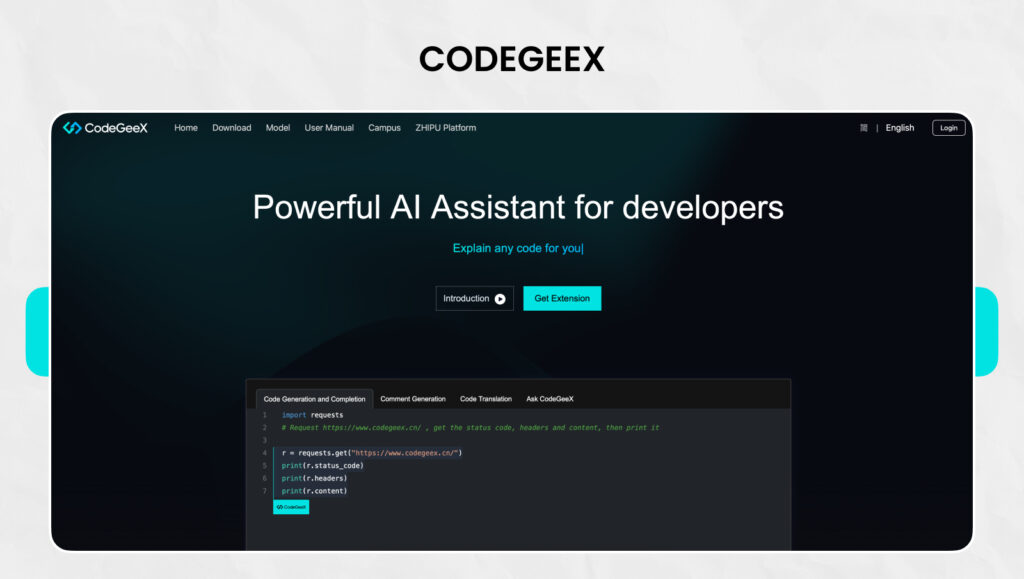
CodeGeeX Key Features
- Multilingual Code Generation: Generates runnable code in major programming languages like Python, C++, Java, JavaScript, and Go—ideal for cross-language development needs.
- Code Translation Across 19 Languages: Supports semantic translation between 19 programming languages—helps developers port codebases or learn new languages with ease.
- AI Chatbot Within IDE: Ask coding questions directly inside your IDE—get real-time assistance without switching tools or browser tabs.
- Automated Code Commenting: Generates meaningful comments for methods and individual lines—improves code readability and documentation effortlessly.
- Predictive Code Completion: Smart code suggestions that anticipate the next line—accelerates development by reducing keystrokes and mental load.
- Repository-Level Code Q&A: Newest versions allow codebase-wide question answering—understand large projects faster by querying the entire repository.
CodeGeeX Pros and Cons
| Pros |
Cons |
| Open-source project gives users more technical freedom |
Has fewer users than older tools like GitHub Copilot |
| Can generate code in over 20 languages |
Might have glitches because it’s newer on the market |
| Makes coding faster for 83.4% of people who use it, based on surveys |
Needs internet to work |
| Might not work well for all coding languages |
Takes time to learn all the commands Limited usage |
| Users make 250+ API calls on average each workday |
Takes time to learn how to use all its features |
CodeGeeX Pricing
| Plan |
Pricing |
Key Features |
| Free |
$0/month per seat |
VS Code/JetBrains extensions with all core features |
| Enterprise |
Custom |
Model fine-tuning on enterprise codebase, on-premises/cloud private deployment, enterprise support |
The free version offers a lot, while the Enterprise plan needs you to contact the company to get custom pricing.
CodeGeeX Best Use Cases
- Working Across Multiple Programming Languages
- Generating Code from Natural Language
- Code Translation Between Languages
- Understanding Unfamiliar Codebases
- Keeping Projects Well-Documented
High-Performance AI with CodeGeeX4-ALL-9B
7. OpenAI Codex
Do you want to hand off coding tasks while you make architectural decisions? OpenAI Codex acts as your cloud-based programming support that can handle many software engineering jobs at once. If you are looking for one of the finest AI tools for software developers, here is where you can count on.
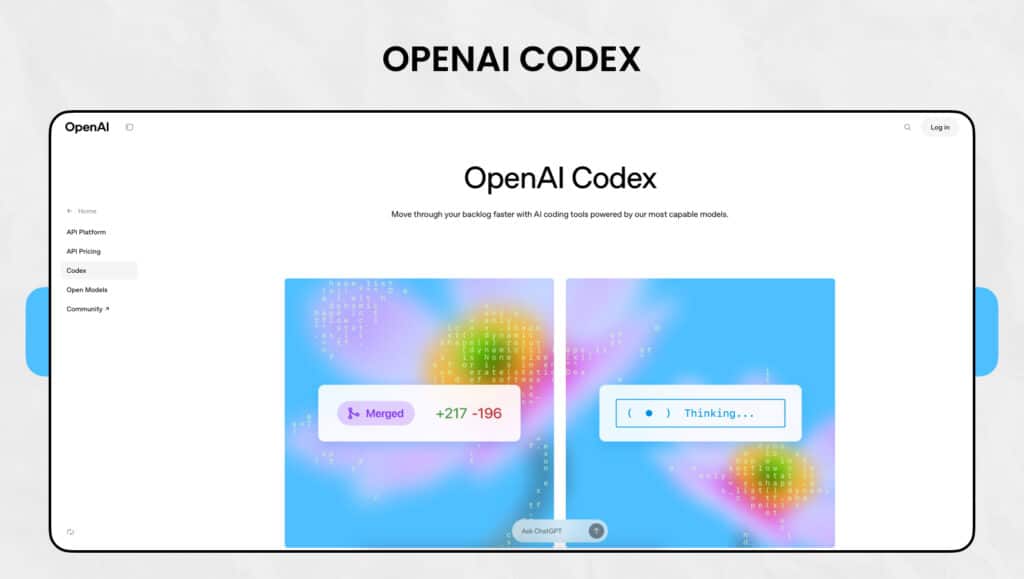
OpenAI Codex Key Features
- Multitasking AI Development Assistant: Handles multiple engineering tasks simultaneously—writes new features, fixes bugs, answers codebase questions, and suggests pull requests in one go.
- Cloud-Based Sandbox Environment: Each task runs in an isolated cloud sandbox with access to your repository—Codex can read/write files, execute commands, and perform static/dynamic analysis safely.
- Command Execution & Testing Support: Runs test suites, linters, and type checkers—displays terminal logs and results to offer transparency and reviewable proof of its work.
- Project-Aware Customization via AGENTS.md: Developers can guide Codex using AGENTS.md files—configure navigation rules, test commands, and custom coding practices for tailored behavior.
OpenAI Codex Pros and Cons
| Pros |
Cons |
| Has a deep grasp of coding languages to turn plain English into code |
Needs a lot of computer power |
| Adapts to different scenarios, making it useful for many development job |
Can’t handle tricky multi-step problems well |
| Creates code that looks like what humans write and fits pull request likes |
Can’t use images for frontend work during the research preview stage |
| Let you see progress in real time for jobs that take 1-30 minutes |
Might not be safe if you don’t check the code, it makes |
OpenAI Codex Pricing
| Plan |
Pricing |
Access |
| ChatGPT Plus |
$20/month |
Recently added access |
| ChatGPT Pro |
$200/month |
Full access |
| Enterprise/Team |
Custom |
Complete feature set |
OpenAI Codex Best Use Cases
- Automating Routine Development Tasks
- Parallel Task Execution for Multi-Track Teams
- Accelerating Enterprise Innovation
- Large Codebase Maintenance
- Educational Support for Developers
8. Sourcery
Clean efficient code often makes the difference between good projects and great ones. Sourcery acts as an AI-powered software development tool for code reviewer and refactoring tool that proposes improvements to boost code quality and make it easier to maintain.

Sourcery Key Features
- Real-Time Refactoring Suggestions: Analyzes your code as you write, offering immediate improvements—promotes clean, efficient patterns and helps reduce long-term technical debt.
- Automated Code Reviews: Integrates with GitHub and GitLab to run quality checks in your CI/CD pipeline—ensures consistent coding standards before merging pull requests.
- Seamless Integration with Developer Tools: Works smoothly with popular editors like VS Code, PyCharm, Sublime Text, and Vim—plus, it can be added directly to GitHub repositories for project-wide impact.
- Powerful Python Refactoring: Specialized for Python—automatically transforms complex code (like nested loops) into clean list comprehensions and adds type hints and function docs.
Sourcery Pros and Cons
| Pros |
Cons |
| Makes code better by putting best practices into action |
Targets Python with little support for other languages |
| Boosts productivity by automating routine tasks |
Free version offers fewer tips and features |
| Promotes consistent code across projects |
Suggestions sometimes disrupt coding flow |
| Gives stats on code size, complexity, and quality score |
You need a paid plan to unlock all features |
| Cuts down technical debt through steady refactoring |
|
Sourcery Pricing
| Plan |
Pricing |
Key Features |
| Open Source |
Free |
Pro features for open source repos |
| Pro |
$12/month per seat |
Code review, PR summary, custom rules |
| Team |
$24/month per seat |
Everything in Pro plus repo analytics, scanning |
| Enterprise |
Custom |
Self-hosting, priority support, and invoice billing |
Sourcery Best Use Case
- Improving Code Quality for Python Developers
- Managing Large Codebases with Consistent Standards
- Simplifying Complex Logic
- Teaching Best Practices to Junior Developers
Also Read: Top Generative AI Tools for Creativity in 2025
Conclusion
The right AI tools for software developers can accelerate development cycles, reduce errors, and help your team focus on what truly matters building innovative, high-quality software. But with so many tools available, choosing the right ones can be overwhelming.
That’s where we come in.
At SPEC INDIA, we help startups and enterprises integrate the best AI-powered tools tailored to their unique development needs. Whether you need help with tool selection, integration, or building custom AI solutions our team is here to support your growth.
Let’s turn your software development challenges into AI-driven success. Get in Touch With US Today!
Frequently Asked Questions
AI tools have an impact on a developer's efficiency in several ways. They make repetitive tasks happen, offer smart code ideas, help with writing documentation, and make it easier to grasp complex codebases. This gives developers more time to solve tricky problems and be creative with their coding.
AI coding tools can help developers at all skill levels, but they work best when used by people who already know the basics of programming well. Newcomers should use these tools to learn, not to do all the work for them.
Most of these tools support multiple programming languages, but their coverage differs. For instance, CodeGeeX has support for over 20 languages, while Sourcery focuses on Python. It's key to check each tool's language support before you decide to use it.
Privacy and security features are different for each tool. Some, like Pieces, work offline, while others use cloud-based processing. Enterprise versions often provide extra security measures. Always take a look at a tool's privacy policy and security features before you start using it.
The price tags can be all over the place, from free options to high-end enterprise packages. A lot of these tools have free versions with fewer bells and whistles, while their paid plans run between $10 and $60 for each user every month. Some, like OpenAI Codex, you can get your hands on through bigger AI service subscriptions.
SPEC INDIA is your trusted partner for AI-driven software solutions, with proven expertise in digital transformation and innovative technology services. We deliver secure, reliable, and high-quality IT solutions to clients worldwide. As an ISO/IEC 27001:2022 certified company, we follow the highest standards for data security and quality. Our team applies proven project management methods, flexible engagement models, and modern infrastructure to deliver outstanding results. With skilled professionals and years of experience, we turn ideas into impactful solutions that drive business growth.






 +91-79-26404031, 32-33-34