

Development of Power BI Dashboard for Battery Manufacturer
The client is a well-known company that makes automotive and industrial lead-acid batteries and has been doing it for more than 60 years. As competition grew stronger, they wanted a smoother way to manage their daily operations and understand their data better so they could make faster and smarter decisions.
-
Industry
Manufacturing -
Country
India
Technologies
 Power BI
 SQL Server


Years In Business

Projects Delivered

Happy Clients

Countries Served
Business Goals
The client's goals were to streamline operations and gain valuable insights from their data to stay competitive in the market. They expected efficient solutions to optimize their processes and improve decision-making.
- Simplifying Access to Sales Data: The client aimed to streamline accessing primary and secondary sales data to expedite decision-making while enhancing data accuracy.
- Minimizing Manual Efforts in Report Management: They also wanted to automate tasks like adding or removing columns in reports to improve efficiency, reduce errors, and optimize resource utilization.
- Reducing Errors Due to Data Format Changes: Other expectations were to implement standardized data formats and version control to ensure data integrity, minimize errors, and enhance consistency in reporting.
- Accelerating Report Generation with Filters: They also aimed to enhance report generation speed by implementing filters for detailed analysis. It facilitates quicker decision-making and provides actionable insights.
Business Challenges

Accessing Sales Data
The existing system lacked streamlined access to both primary and secondary sales data, forcing users to manually compile the data in Excel sheets. This manual process led to inefficiencies and delays in data analysis and decision-making.

Tedious Report Modification
Users encountered difficulties when attempting to customize reports by adding or removing columns. This process was cumbersome and prone to errors, hindering their ability to tailor reports to specific needs or preferences efficiently.

Data Format Changes
The frequent alterations in data formats and scripts introduced complexities in data management, resulting in increased errors and inefficiencies. These changes disrupted the workflow and impeded smooth data processing and analysis.

Report Generation Complexity
Creating detailed reports with various parameters necessitated considerable time and effort from users. The complexity of generating such reports added to the workload and slowed down the overall reporting process, affecting productivity and decision-making timelines.
Technical Solution
-
Centralized Power BI Dashboard
We created a single Power BI dashboard that brings all their data together in one place. This helped the client view key business information quickly without switching between multiple systems.
-
Integrated Reports
We combined all their separate reports into one organized reporting structure. This gave the client a complete and easy-to-understand view of their business performance.
-
Dynamic Visualization
We added interactive charts and visuals that allow users to explore data, drill down into details, and understand patterns more clearly.
-
Streamlined Data Management
We made report updates easier by allowing users to add or remove columns and make changes without depending on technical teams.
-
Efficient Data Filtering
We enabled filters for time, region, product, and other key parameters so users can focus only on the information they need.
-
Excel Integration
We ensured smooth integration with Excel, allowing the client to directly import Excel data into Power BI and turn it into meaningful insights.
Project Glimpse
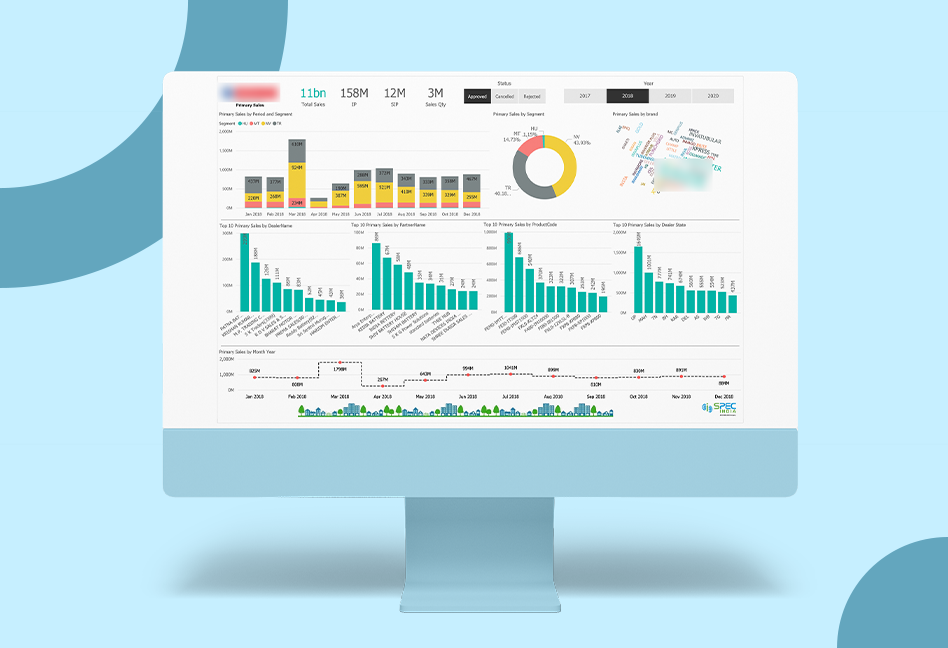
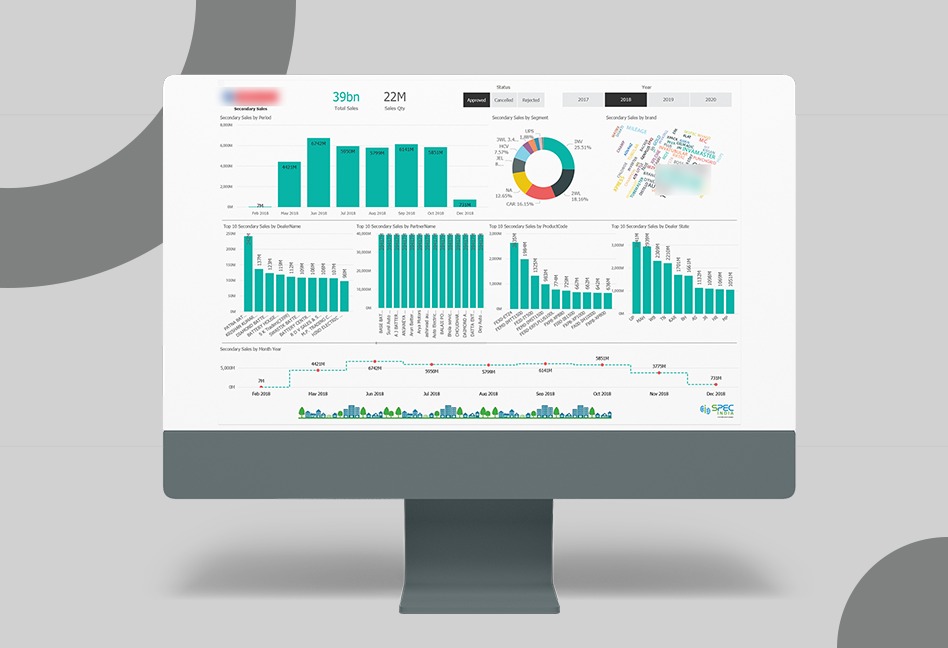
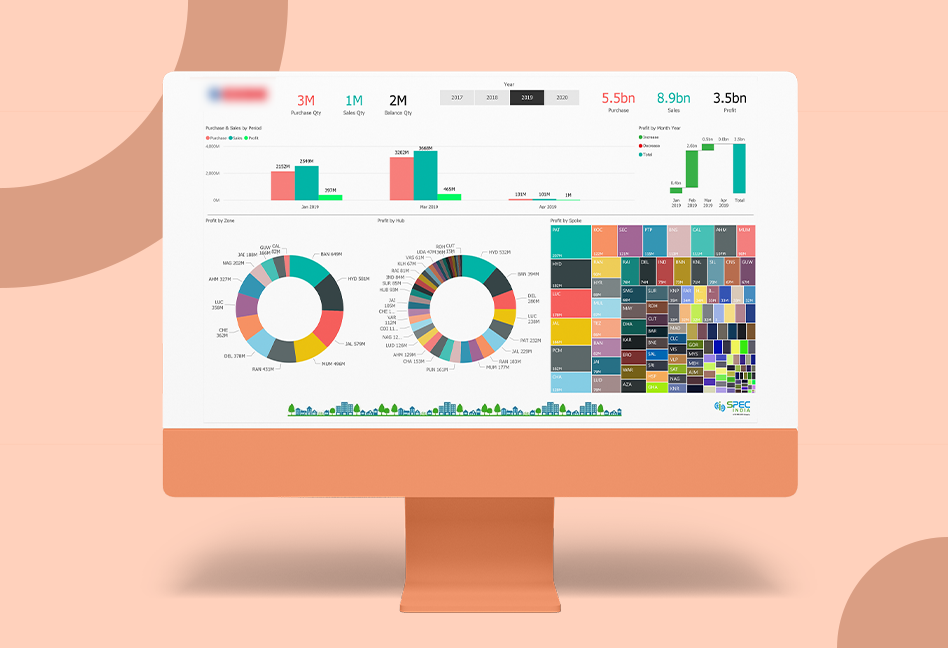
Core Features

Centralized dashboard

Report integration

Dynamic slicing and dicing

Column management

Data filtering

Excel data import
Results & Achievements
-
01.
Ease of Modification
Reports and dashboards can now be easily modified as per user requirements.
-
02.
Reduction in time spent
Direct access to reports saved significant time for business users. Accessing reports has become much easier as compared to previous methods.
-
03.
Improvement in Data Analysis
The graphics interface enabled quick and efficient data analysis with minimal effort. Data analysis became a cup of tea for the client.
-
04.
Decrease in Data Download time
Integrated reports facilitated rapid downloading of massive data in Excel format. The time taken to download the data has significantly improved after the development of the Power BI Dashboard.
Let’s get in touch!
India
SPEC House, Parth Complex, Near Swastik Cross Roads, Navarangpura, Ahmedabad 380009, INDIA.
-
 +91-79-26404031, 32-33-34
 -
 [email protected]