| Crystal Reports | Pentaho |
|---|---|
| Static reporting | Interactive dashboard and visual analytics |
| Minimal interactivity | Support filters and visual charts |
| Print-style reporting | Built for digital, web-based, and dynamic analytics |


Loading...
Crystal Reports to Pentaho Migration: Why Modern Businesses Are Making the Switch
Posted
January 5, 2026
Category Pentaho BI
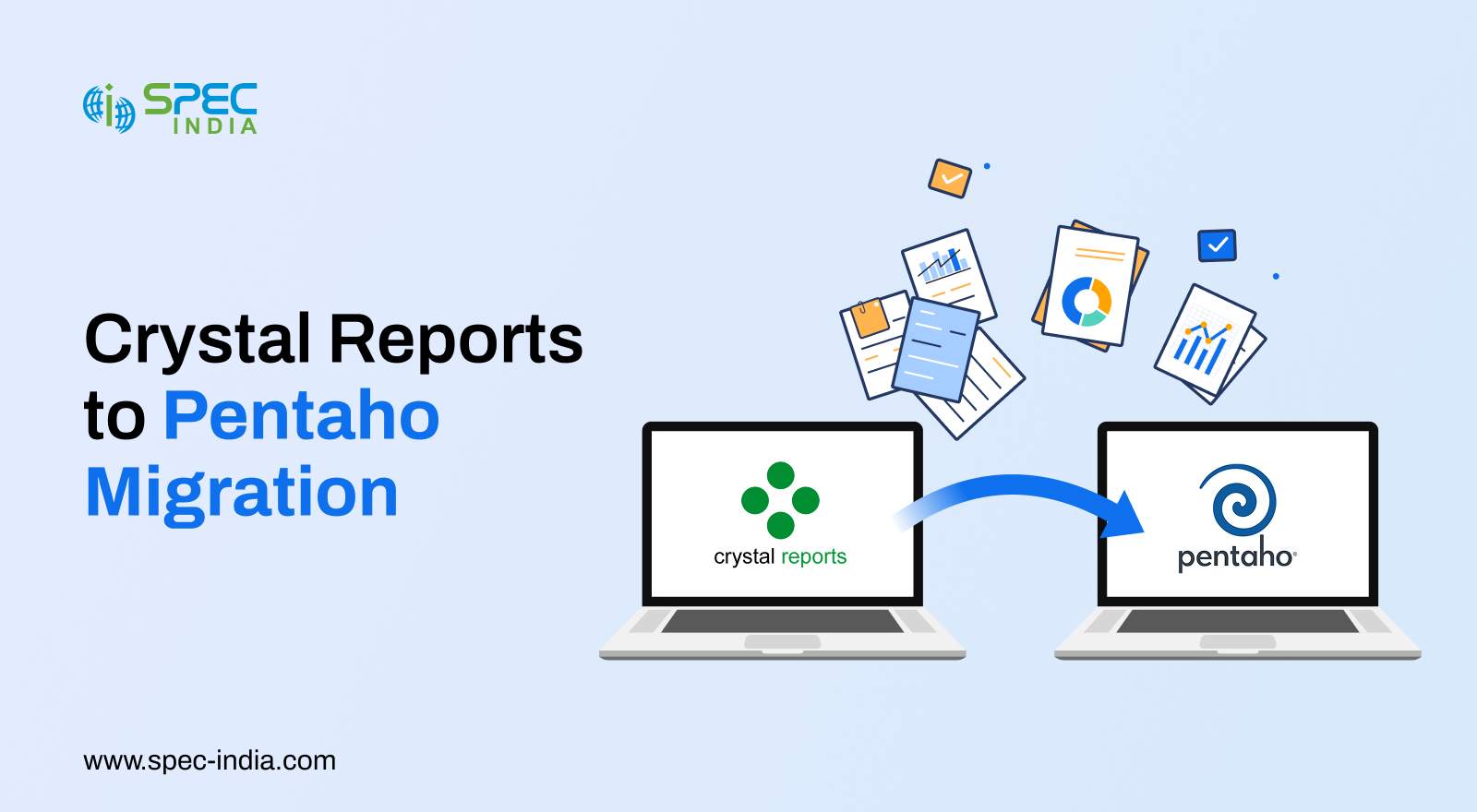
Crystal Reports has served most organizations across industries for decades. It has been a trustworthy solution for offering structured, pixel-perfect reports. Its critical role in maintaining data accuracy, consistency, and compliance across departments is commendable.
However, as business intelligence evolves, the organization seeks to keep pace by seeking solutions that enhance reporting capabilities. Stakeholders expect to access data through an interactive dashboard, self-service analytics, real-time access, and seamless integrations with cloud and big data platforms. This doesn’t mean Crystal Reports are now outdated; it simply helps organizations’ users access modern data strategies.
That’s where the Crystal Reports-to-Pentaho migration comes into play. It adapts to your existing reporting strengths, integrates data preparation, modern analytics, and appropriate deployment options. As a result, organizations can uplift their BI landscape without compromising reliability.
This blog discusses why companies are migrating from Crystal Reports to Pentaho, the benefits of the migration, the challenges you will face, and best practices to follow. Contact a BI modernization services provider to learn more about the process.
8 Top Reasons to Shift from Crystal Reports to Pentaho
We have created a detailed comparison that explains why businesses choose Pentaho migration services. Please review it, as it will help you make informed decisions.
1. Reporting Capabilities
2. Data Connectivity & Modern Integration
| Crystal Reports | Pentaho |
|---|---|
| Limited connectivity to cloud, APIs, NoSQL, or big-data sources. | Connects to cloud warehouses, Hadoop, NoSQL, APIs, and streaming data. |
| Manual dependency required. | Wider connectivity options; |
| Suits traditional databases. | Best fits with modern data ecosystems. |
3. ETL & Data Preparation
| Crystal Reports | Pentaho |
|---|---|
| Requires preprocessing data before reporting. | Includes Pentaho Data Integration (PDI) for full ETL and data orchestration. |
| No built-in ETL tools are required; third-party solutions suffice. | Transformation, cleansing, and loading can be automated within Pentaho Metadata Editor. |
| Higher maintenance and dependency on external tools. | Unified platform for ETL + reporting + dashboards. |
4. Costing & Licensing
| Crystal Reports | Pentaho |
|---|---|
| Often expensive licensing, especially for scaling users. | Budget-friendly licensing and open-source foundations. |
| Additional cost for server components and add-ons. | Lower total cost of ownership (TCO). |
| Pricing becomes a hurdle for growing teams. | Flexible models align with enterprise scalability. |
5. Scalability & Architecture
| Crystal Reports | Pentaho |
|---|---|
| Legacy architecture does not support big data or cloud-first environments. | Support modular architectures, including cloud, hybrid, and on-premises. |
| Difficulty scaling across distributed teams. | Designed for enterprise scalability and high-performance analytics. |
| Limited automation capabilities. | Highly extensible with APIs, plugins, and workflow automation. |
6. User Experience & Self Service
| Crystal Reports | Pentaho |
|---|---|
| Heavy reliance on IT for report modifications. | Business users can self-create reports with drag-and-drop tools. |
| Steeper learning curve for non-technical users. | Modern UI for intuitive data exploration. |
| Minimal real-time visual analytics. | Rich dashboards and filters. |
7. Vendor Support & Ecosystem Growth
| Crystal Reports | Pentaho |
|---|---|
| Slowing updates and a shrinking community ecosystem. | Active development with Hitachi Vantara and a strong global community. |
| There has been limited innovation in recent years. | Regular enhancements, new features, and security updates. |
| A smaller selection of data integration tools and add-ons. | Expansive marketplace of plugins, extensions, and integrations. |
8. Maintenance & Governance
| Crystal Reports | Pentaho |
|---|---|
| Report sprawl is typical; managing large libraries is more challenging. | Centralized repository with version control and governance tools. |
| Limited automation for report deployment. | Supports automated workflows, scheduling, and orchestration. |
| Complex upgrade paths. | Streamline updates and easy long-term maintenance. |
While Crystal Reports faces challenges to meet the demands of modern data-driven organizations, Pentaho offers the flexibility and intelligence required for today’s analytics landscape. Another benefit Pentaho offers is the ability to operate as a complete end-to-end BI and data integration tool. Below are the reasons why businesses choose Pentaho as their long-term analytics foundation. Let’s look at it.
Why Pentaho is a Powerful Alternative to Crystal Reports?
Pentaho is a powerful business intelligence and data integration platform, particularly built to meet the demands of modern businesses. Unlike Crystal Reports, Pentaho provides a complete ecosystem for data preparation, analytics, dashboards, and automation. It offers more value and flexibility to organizations. We have outlined the key reasons Pentaho has become the preferred alternative for businesses upgrading their BI landscape. You can learn more about BI report migration services and get a quick call from our experts.
1. End-to-End BI Platform, Not Just a Reporting Tool
Pentaho has reporting, dashboards, analytics, data integration, and orchestration features. Crystal Reports are restricted to report generation and depend on external systems for data preparation or advanced analytics.
With Pentaho, your teams can easily turn raw data into insights without juggling multiple tools.
2. Built-In Pentaho Data Integration (PDI)
One of Pentaho’s biggest differentiators is PDI. It’s a powerful ETL tool that doesn’t depend on third-party ETL solutions. Organizations can:
- Clean and transform data
- Develop reusable pipelines
- Automate workflows
- Integrate multiple data platforms
- Generate consistent, accurate reporting
It eliminates complexity, improves governance, and significantly accelerates analytics delivery by evaluating Crystal Reports to Power BI.
3. Superior Dashboarding & Interactive Analytics
Pentaho comes with interactive dashboards that support:
- Real-time data updates
- Real-time report generation
- Click-through exploration
- User-based customization
It makes Pentaho a better choice for teams that depend on responsive, data-driven insights.
4. Modern & Scalable Architecture
Pentaho supports modern analytics requirements like:
- Cloud and hybrid deployments
- Big data platforms like Hadoop and NoSQL
- API-first integrations
- Peak workload performance
It ensures organizations can grow without incurring costly charges or being locked into legacy constraints.
5. Open-Source Flexibility and Lower Total Cost of Ownership
Pentaho’s open-source capabilities allow businesses to:
- Customize
- Integrate with emerging technologies
- Community-driven innovation
- Cost-effective licensing
Pentaho offers a scalable, cost-effective solution that is superior to Crystal Reports.
6. Enhanced Self-Service Capabilities
Even non-technical business users can create dashboards, modify reports, and analyze data using simple drag-and-drop tools if metadata is used. It reduces dependence on IT, accelerates decision-making, and improves outcomes.
7. Strong Ecosystem and Continuous Innovation
Pentaho continually upgrades to deliver new features, updates, security enhancements, and integrations. Review Pentaho consulting services to understand the process and which services are best suited to your business.
8. Unified Governance and Centralized Report Management
Pentaho provides a unified environment for
- Version control
- Report on lifecycle management
- Role-based access
- Centralized administration
It makes enterprise governance better and reduces report duplication and maintenance overhead.
9. Better Alignment with Modern Data Strategies
Pentaho supports strategic initiatives across big data, cloud migration, and advanced analytics. This future-proof alignment ensures your organization can evolve without being hindered by legacy tools such as Crystal Reports.
While Pentaho has unique features, you should keep several challenges in mind during migration. Since every organization’s reporting relies on years of custom logic, embedded formulas, and coupled data sources, the migration will require careful planning to maintain business rules and data accuracy and to ensure user adoption. Before learning how to get the most out of Pentaho, it is essential to understand the key challenges organizations typically face when moving from Crystal Reports to Pentaho.
Migration Challenges When Moving from Crystal Reports to Pentaho
Migrating from Crystal Reports to Pentaho delivers long-term value, but business owners must address specific challenges.
Understanding the intricacies and challenges upfront helps ensure a smoother, more predictable migration journey. Below are the most common obstacles businesses encounter during the shift.
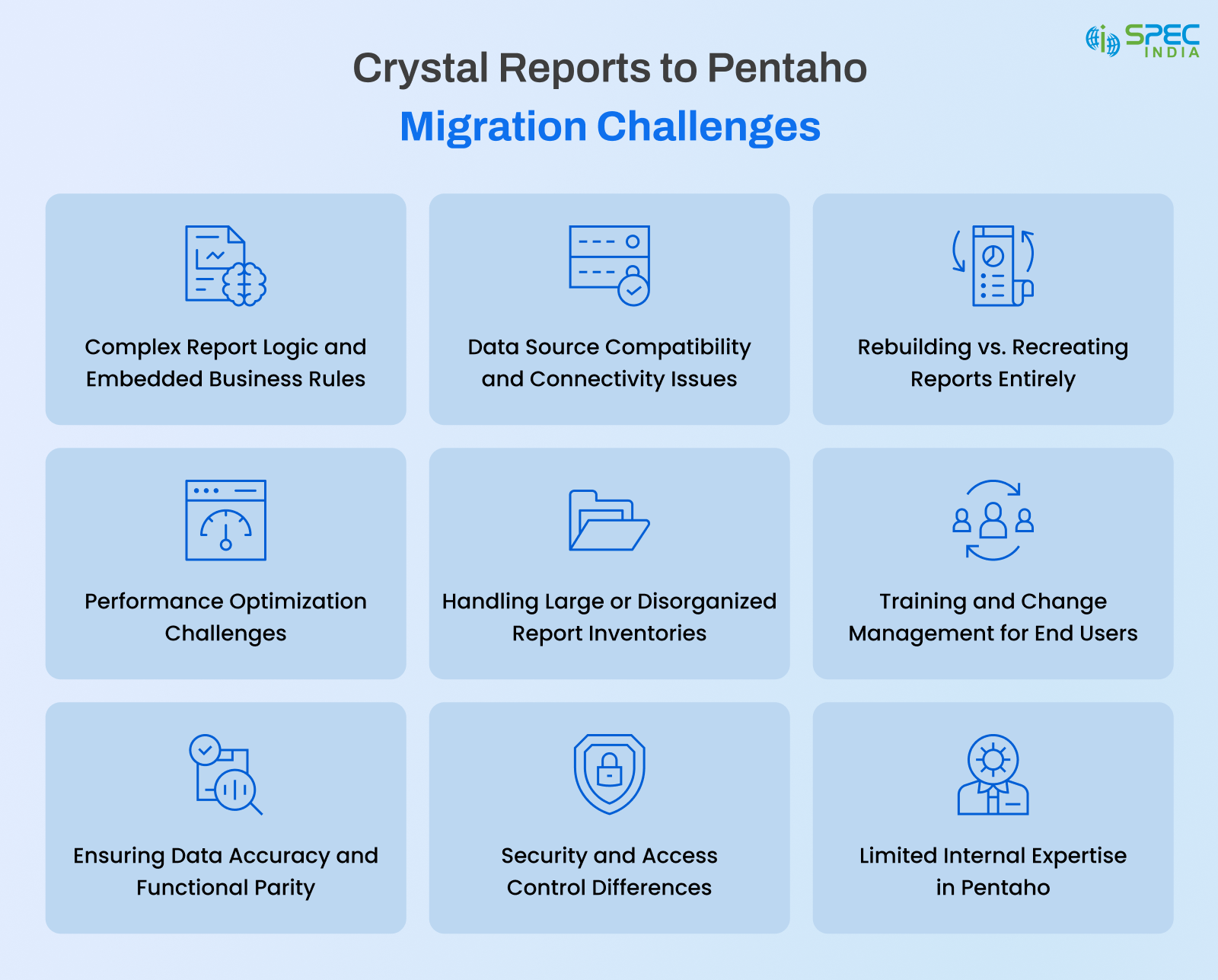
1. Complex Report Logic and Embedded Business Rules
Crystal Reports are built using formulas and conditional formatting.
It creates migration challenges because teams must:
- Simplify existing logic
- Document hidden rules
- Recreate or revamp them in Pentaho’s reporting
- Frameworks
Just make sure to hire skilled Pentaho developers to avoid functional gaps or inaccuracies.
2. Data Source Compatibility and Connectivity Issues
Crystal Reports heavily relies on Legacy databases, ODBC connections, or proprietary data sources. It makes it challenging to map directly to Pentaho.
Several challenges that you may face are:
- Unsupported drivers
- Deprecated connections
- Legacy database versions
- Inconsistent schema structures
We recommend carefully assessing data sources and redesigning integration workflows to resolve this.
3. Rebuilding vs. Recreating Reports Entirely
Unlike other Crystal Reports, several reports do not migrate. This one is entirely different; others migrate Crystal Reports to Pentaho, while a few require development from scratch in Pentaho due to:
- Variation in layout engines
- Different visualization capabilities
- Unique scripting and rule-handling formats
Due to which, it raises questions like:
- Should we duplicate the report exactly?
- Should we recreate it for modern dashboards?
- Should we remove outdated reports?
Now, it depends on the Organization’s capabilities and expertise to determine who to hire for the migration, to avoid unnecessary rework.
4. Performance Optimization Challenges
Crystal Reports is unlikely to function the same way in Pentaho because it relies on pre-aggregated datasets or revamped stored procedures.
Performance tuning may involve:
- Rewriting all the queries
- Re-structuring data models
- Executing coaching or indexing strategies
- Redesigning ETL for efficiency
Even accurate reports can encounter issues or run slowly in the new environment without proper optimization.
5. Handling Large or Disorganized Report Inventories
The number of years businesses have been catering to their customers is the same number of years they have been creating and collecting Crystal Reports.
Many reports are outdated, duplicate, or no longer in use. Such a collection causes challenges that migration teams face, which are as follows:
- Determining relevant reports
- Setting priorities for high-value reports
- Removing or merging redundant ones
Such a cleanup helps reduce cost and effort.
6. Training and Change Management for End Users
Users with hands-on experience with Crystal Reports will face initial challenges when transitioning to Pentaho. They are required to learn Pentaho’s dashboards and tools.
Though the challenges look minor, some challenges include:
- Getting familiar with the new interfaces
- Getting buy-in for updated workflows
- Setting up expectations around interactive reporting
Always prioritize effective change management to ensure a smooth migration and avoid adoption resistance.
7. Ensuring Data Accuracy and Functional Parity
Another challenge during the migration process is producing reports that look correct but generate different results.
These are common causes:
- Differences in formula interpretation
- Data transformations are applied inconsistently
- Misaligned date formats or grouping logic
You can overcome this challenge by robust validation and rigorous testing.
8. Security and Access Control Differences
Crystal Reports and Pentaho take different approaches to managing user roles, permissions, and authentication.
During migration, teams must align with:
- User groups
- Report-level permissions
- Data access rules
- SSO or identity provider integrations
Failing to map will lead to serious issues, including governance gaps and permission conflicts.
9. Limited Internal Expertise in Pentaho
Pentaho is undoubtedly a more modern and comprehensive platform, which is why internal teams need to learn it before implementing it. It consists of:
- Rebuilding complex reports
- Creating ETL pipelines
- Optimizing dashboards
- Managing repository structures
Therefore, you will require a partner with experienced Pentaho consultants to accelerate migration and reduce risk.
Now that you understand the challenges, you may be wondering about the solutions. Well, a structure, process, and strategy are what you must ponder upon. The Crystal Reports-to-Pentaho migration approach outlined below enables a smooth transition without disruption or compromising data accuracy. Let’s dive deep into it.
Step-by-Step Approach to Crystal Reports to Pentaho Migration
We have created a proven, step-by-step approach to execute the Crystal Reports replacement. The approach ensures swift data movement, design recreation, and long-term scalability. Complete the entire process to understand navigation, minimize risk, and maximize the value of your new BI environment.
1. Conduct a Comprehensive Report Assessment
When you assess, start with understanding the project scope of your existing Crystal Reports.
It includes:
- Creating report inventory
- Sorting out significant vs. outdated reports
- Identifying reports depending upon their complexity, usage, and business impact
- Documenting formulas, data sources, and embedded logic
In this phase, your internal team will have room to focus on critical and avoidable tasks during the migration.
2. Define the Migration Strategy (Rebuild, Redesign, or Consolidate)
Post the introductory phase, it is time to define which reports require what migration strategy. Based on your assessment, you can choose from the following strategies for each report:
- Rebuild: If reports are essential and you want exact replication
- Redesign: If you want to visualize reports on dashboards or interactive analytics
- Consolidate: All the similar reports into one modern view
- Retire: All the outdated reports are no longer needed
When you develop a strategic approach, you can expect a reduced workload and reporting aligned with current business goals.
3. Align Data Sources and Configure Pentaho Data Integration (PDI) or in Metadata
Since Pentaho uses an ETL engine, this step is critical to achieving accurate, efficient data flows. You determine which activities should be undertaken. So, here is the list:
- Access reports that run seamlessly on Pentaho without compatibility issues
- Free flow of data helps in preparing accurate reports
- Easy to maintain reporting due to clean and modular ETL processes
- Expect to have consistent data due to quality standards and maintenance
It lays a strong foundation for trustworthy analytics in Pentaho.
4. Rebuild Reports and Dashboards in Pentaho
Now that you have data sources ready, you can begin reporting and dashboard development.
It includes:
- Producing reports where required
- Designing visually engaging dashboards
- Setting up filters, drill-down, and interactive visual dashboards
- Integrating business rules from Crystal Reports formulas
- Creating responsive and easy-to-navigate designs for end users
It is crucial to complete all the above steps to expect transformation through modern analytics.
5. Validate Report Logic and Ensure Data Accuracy
It is crucial to maintain data quality to avoid issues between the old and new environments. You can maintain quality consistency by:
- Comparing output between Crystal Reports and Pentaho
- Reviewing and validating formulas, parameters, and logic
- Executing comprehensive functional testing
- Conducting user acceptance testing (UAT) with business stakeholders
If you follow these practices, you will be able to generate reports that deliver insights users can trust.
6. Optimize Performance for Scalability
Pentaho is known for its flexibility, which improves performance compared with Crystal Reports.
Here, optimization activities include:
- Optimizing database queries so that they allow faster execution
- Making sure ETL workflows’ performance remains at peak
- Implementing effective coaching or indexing strategies
- Making job execution excellent using Pentaho’s scheduling tools
- Designing dashboards with lightweight visual components
You can expect better performance even if the data volume grows.
7. Implement Security, Access Control, and Governance
Now, configure Pentaho’s role-based security to match or enhance your Crystal Reports governance model.
To execute these tasks, it includes:
- Defining roles for different user groups and allotting them permissions
- Setting up the level of access of each data type of user to the data
- Connecting the system with Single Sign-on (SSO) or directory services like LDAP/Active Directory
- Establishing version control and repository management
It ensures that security and compliance remain strong after migration.
8. Deploy, Train, and Onboard Users
Once testing and validation of the reports are done, you can roll out the new environment to end users.
If you want users to adapt easily:
- Give them user-training sessions
- Provide documentation or quick start guides
- Make sandbox or test environments available for users to experience
- Collect user feedback for constant improvement
With this, you can make effective onboarding that will eventually accelerate value realization across departments.
9. Monitor, Support, and Continuously Improve
Everyone thinks migration is the end; it is the beginning of your modern BI journey.
There are several ongoing activities, including:
- Tracking system performance
- Upgrading dashboards based on user feedback
- Implementing new data sources as the business evolves
- Updating ETL workflows for accuracy and efficiency
When you put continuous improvement into practice, you can expect a scalable, relevant, and future-ready environment.
By adhering to a structured migration approach, you will significantly reduce risk and help teams migrate smoothly from Crystal Reports to Pentaho. But this is only halfway; the other half lies in using the right tools and methodologies. Organizations can accelerate implementation, avoid common challenges, and ensure their new Pentaho environment performs optimally. Therefore, let’s explore the essential tools and best practices to streamline the migration process.
Tools and Best Practices for a Smooth Migration
When you choose the right tools and follow best practices, you can expect a successful migration from Crystal Reports to Pentaho. We recommend using purpose-built tools and best practices to simplify the migration process. If you are considering BI modernization services, take a look to understand how they work.
1. Use of Automated Assessment Tools for Report Inventory and Analysis
If your business had catered to customers for years, you would probably have a stack of Crystal Reports.
Automated Assessment tools will help you:
- Extracting reports’ metadata
- Decode sources for all the data and dependencies
- Fetch complex formulas and logic
- Detect duplicates and unused reports
With these tools, organizations save 80-90 man-hours per report.
You can consider these popular tools or methods for reporting inventory and analysis:
- Custom-built inventory scripts
- Report usage tracking tools (Teamwork, Google Analytics, and/or Torii)
- Dependency mapping utilities
2. Use Pentaho Data Integration or Metadata for ETL Automation
You can always count on PDI for burden-free migration. It will help you with:
- No mismatches, inconsistent values, or duplicates
Run reports faster with instant updates to logic changes and new additions, without delays. - Easy to fetch data and minimal pipeline breakages, along with consistent dashboard refreshes.
- Consistent KPI and fewer contradictions between dashboards
If you start using PDI from the beginning, it maintains data consistency across the new environment.
3. Adopt Version Control and Documentation Tools
Another best practice is to document everything so it is available when needed. There are several tools like GIT, SVN, and internal repositories that manage:
- ETL workflows
- Pentaho report templates
- Connection configurations
- Formula changes and business logic revisions
With Version control, there will be no confusion, teams will be aligned, and rollback capabilities will be available.
4. Prioritize User-Centric Report Redesign
Revamp and redesign your existing Crystal Reports for improved usability.
You must follow best practices like:
- Consolidating multiple static reports into a single interactive dashboard
- Using modern visualization libraries
- Simplifying layouts for faster consumption
- Incorporating filters, drilldowns, and real-time updates
It strengthens Pentaho rather than carrying over legacy limitations.
5. Implement a Robust Testing Framework
When the data is accurate, you can easily adopt Business Intelligence. A practical testing framework includes:
- Performing data validation tests
- Running Functional testing for formulas and parameters
- Detailed analysis and Output comparison between Crystal and Pentaho
- Performance benchmarking
- User acceptance testing (UAT)
Automated test scripts can further accelerate the validation cycle.
6. Follow Security and Governance Best Practices
Pentaho has a security model that allows granular, role-based access control.
To maintain governance integrity:
- Match legacy Crystal permissions to Pentaho user roles
- Set up a centralized authentication (LDAP, AD, SSO)
- Add security rules that control who can see specific data
- Keep clear documentation of your security policies for future scalability
It streamlines compliance, consistency, and secure access across the organization.
7. Use Dashboard and Report Templates for Faster Development
You must strictly use templates to maintain a uniform look across all migrated reports. This way, you would be able to:
- Maintain consistent styling and format
- Rapid development cycles
- Easier to maintain
- Stronger brand alignment
Templates are especially valuable when multiple developers are involved.
8. Train Users Early and Provide Continuous Support
When users feel confident, they readily adopt technology. Make them understand the best practices that include:
- Hands-on training workshops
- Short tutorial videos or quick star guides
- Dedicated onboarding sessions
- A centralized knowledge base
- Regular feedback cycles
It ensures a smooth adoption and reduces resistance to the new platform.
9. Partner with Experienced Pentaho Migration Specialists
A specialized migration team can remove the complexities of the legacy reporting environment and help you with a smooth migration.
Experts can:
- Analyze report logic
- Rebuild optimized dashboards
- Optimize ETL pipelines
- Avoid common migration pitfalls
- Speed up the entire modernization effort
This results in faster delivery, lower cost, and higher-quality outcomes.
Conclusion
Migrating from Crystal Reports to Pentaho revamps your visual interaction with reports. It even improves data accuracy and provides business users with faster, more interactive reporting. Though there are several challenges like complex report logic, data source compatibility, and user adoption that exist, a step-by-step migration approach, combined with the right tools and best practices, can significantly reduce risk and effort.
Organizations have witnessed massive gains after investing in Pentaho. It is a scalable, future-ready BI platform that helps with automated data pipelines, reusable transformations, consistent data, rapid insights, and lower long-term costs. In cases where both technical and financial advantages require a more profound understanding, businesses will achieve optimal ROI, streamline reporting processes, and transition seamlessly from legacy Crystal Reports to a modern analytics environment.

SPEC INDIA is your trusted partner for AI-driven software solutions, with proven expertise in digital transformation and innovative technology services. We deliver secure, reliable, and high-quality IT solutions to clients worldwide. As an ISO/IEC 27001:2022 certified company, we follow the highest standards for data security and quality. Our team applies proven project management methods, flexible engagement models, and modern infrastructure to deliver outstanding results. With skilled professionals and years of experience, we turn ideas into impactful solutions that drive business growth.
Table of contents
- 8 Top Reasons to Shift from Crystal Reports to Pentaho
- Why Pentaho is a Powerful Alternative to Crystal Reports?
- End-to-End BI Platform, Not Just a Reporting Tool
- Built-In Pentaho Data Integration (PDI)
- Superior Dashboarding & Interactive Analytics
- Modern & Scalable Architecture
- Open-Source Flexibility and Lower Total Cost of Ownership
- Enhanced Self-Service Capabilities
- Strong Ecosystem and Continuous Innovation
- Unified Governance and Centralized Report Management
- Better Alignment with Modern Data Strategies
- Migration Challenges When Moving from Crystal Reports to Pentaho
- Complex Report Logic and Embedded Business Rules
- Data Source Compatibility and Connectivity Issues
- Rebuilding vs. Recreating Reports Entirely
- Performance Optimization Challenges
- Handling Large or Disorganized Report Inventories
- Training and Change Management for End Users
- Ensuring Data Accuracy and Functional Parity
- Security and Access Control Differences
- Limited Internal Expertise in Pentaho
- Step-by-Step Approach to Crystal Reports to Pentaho Migration
- Conduct a Comprehensive Report Assessment
- Define the Migration Strategy (Rebuild, Redesign, or Consolidate)
- Align Data Sources and Configure Pentaho Data Integration (PDI) or in Metadata
- Rebuild Reports and Dashboards in Pentaho
- Validate Report Logic and Ensure Data Accuracy
- Optimize Performance for Scalability
- Implement Security, Access Control, and Governance
- Deploy, Train, and Onboard Users
- Monitor, Support, and Continuously Improve
- Tools and Best Practices for a Smooth Migration
- Use of Automated Assessment Tools for Report Inventory and Analysis
- Use Pentaho Data Integration or Metadata for ETL Automation
- Adopt Version Control and Documentation Tools
- Prioritize User-Centric Report Redesign
- Implement a Robust Testing Framework
- Follow Security and Governance Best Practices
- Use Dashboard and Report Templates for Faster Development
- Train Users Early and Provide Continuous Support
- Partner with Experienced Pentaho Migration Specialists
- Conclusion
Delivering Digital Outcomes To Accelerate Growth
Let’s TalkTable of contents
- 8 Top Reasons to Shift from Crystal Reports to Pentaho
- Why Pentaho is a Powerful Alternative to Crystal Reports?
- End-to-End BI Platform, Not Just a Reporting Tool
- Built-In Pentaho Data Integration (PDI)
- Superior Dashboarding & Interactive Analytics
- Modern & Scalable Architecture
- Open-Source Flexibility and Lower Total Cost of Ownership
- Enhanced Self-Service Capabilities
- Strong Ecosystem and Continuous Innovation
- Unified Governance and Centralized Report Management
- Better Alignment with Modern Data Strategies
- Migration Challenges When Moving from Crystal Reports to Pentaho
- Complex Report Logic and Embedded Business Rules
- Data Source Compatibility and Connectivity Issues
- Rebuilding vs. Recreating Reports Entirely
- Performance Optimization Challenges
- Handling Large or Disorganized Report Inventories
- Training and Change Management for End Users
- Ensuring Data Accuracy and Functional Parity
- Security and Access Control Differences
- Limited Internal Expertise in Pentaho
- Step-by-Step Approach to Crystal Reports to Pentaho Migration
- Conduct a Comprehensive Report Assessment
- Define the Migration Strategy (Rebuild, Redesign, or Consolidate)
- Align Data Sources and Configure Pentaho Data Integration (PDI) or in Metadata
- Rebuild Reports and Dashboards in Pentaho
- Validate Report Logic and Ensure Data Accuracy
- Optimize Performance for Scalability
- Implement Security, Access Control, and Governance
- Deploy, Train, and Onboard Users
- Monitor, Support, and Continuously Improve
- Tools and Best Practices for a Smooth Migration
- Use of Automated Assessment Tools for Report Inventory and Analysis
- Use Pentaho Data Integration or Metadata for ETL Automation
- Adopt Version Control and Documentation Tools
- Prioritize User-Centric Report Redesign
- Implement a Robust Testing Framework
- Follow Security and Governance Best Practices
- Use Dashboard and Report Templates for Faster Development
- Train Users Early and Provide Continuous Support
- Partner with Experienced Pentaho Migration Specialists
- Conclusion
Delivering Digital Outcomes To Accelerate Growth
Let’s Talk
Let’s get in touch!
India
SPEC House, Parth Complex, Near Swastik Cross Roads, Navarangpura, Ahmedabad 380009, INDIA.
-
 +91-79-26404031, 32-33-34
 -
 [email protected]