| Feature | Business Benefit | Priority Level |
|---|---|---|
| Data Integration Capabilities | Creating a unified view across multiple systems and improving data consistency | High |
| Interactive Dashboards | Enables faster monitoring and decision-making through real-time visibility | High |
| Self-Service Analytics | Reduces dependency on IT teams and empowers business users | High |
| AI-Powered Insights | Supports predictive and proactive analytical decision-making | Medium to High |
| Security & Governance | Protects sensitive data and enforces compliance standards | High |
| Scalability & Performance | Supports future growth in users, reports, and data volumes | High |


Loading...
Top 10 Business Intelligence Tools to use in 2026
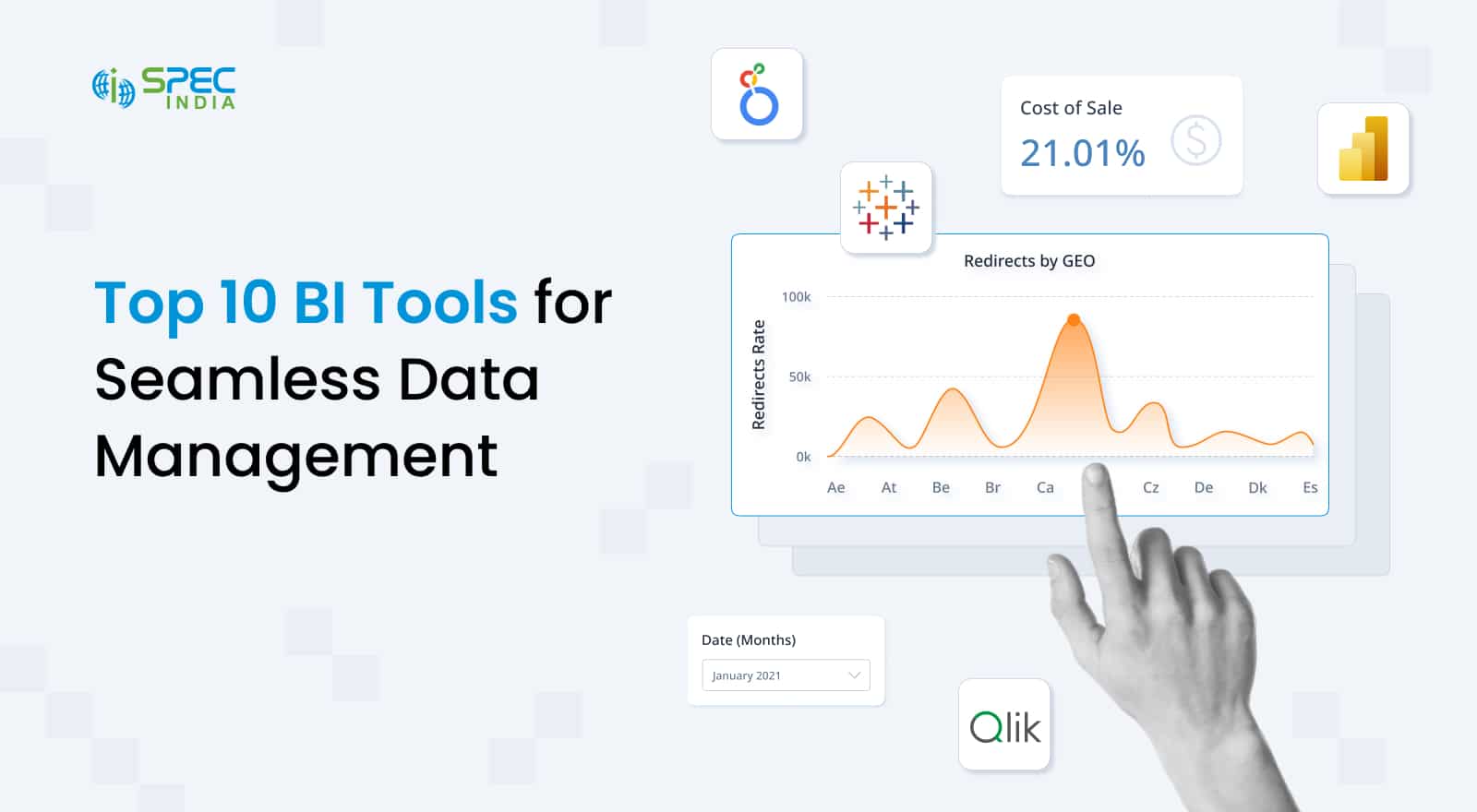
Lack of data isn’t an issue for organizations, regardless of their scale or size. But every organization struggles with too much data as it’s scattered across;
- CRM platforms
- ERP systems
- Marketing applications
- Spreadsheets
- Operational databases.
As the number of data sources grows, obtaining consistent answers to simple business questions becomes increasingly difficult.
This is where business intelligence tools come in: they consolidate information, improve data access, and monitor business metrics, providing the insights needed to support faster, evidence-based decision-making.
Modern business intelligence platforms don’t just report numbers, but they help uncover patterns, track performance, and respond to changing market conditions. Let’s explore more about business intelligence platforms, the best BI tools in the industry, upcoming BI trends, and how to choose the right BI platform for your needs.
What are Business Intelligence Tools?
Business intelligence tools are software platforms designed to collect, organize, analyze data, and present it in a format that supports informed decision-making.
These business intelligence platforms cover multiple data analysis components, including;
- Connect multiple data sources
- Centralize information
- Transform raw data into meaningful reports, live visualizations, and actionable insights
Moreover, modern business intelligence reporting tools don’t just analyze data; they also provide capabilities for data integration, preparation, modeling, visualization, and reporting within a single environment.
Organizations use these tools for business intelligence for three core outcomes;
1. Monitor performance
2. Analyze trends
3. Evaluate strategic initiatives
More importantly, the business intelligence software we have today is used for analysis, reporting, interpretation, and visualization across finance, sales, operations, supply chain, customer experience, and executive leadership.
4 Signs You Need a Business Intelligence Tool
There is no specific point in an organization’s growth trajectory that signifies that “now we need business intelligence platforms”. Instead, we have found 5 signs indicating you need real-time business intelligence tools.
1. Disparate Data Across Systems: One of the clearest indicators is when business data is distributed across multiple data sources, making it difficult to establish a reliable version of truth to make informed decisions.
2. Slow Reporting: Delays in reporting are natural when your teams are spending days collecting information instead of performing data analysis, and that too, manually, which limits decision speed.
3. Inconsistency in Metrics: When your teams struggle to correlate metrics across departments and get conflicting numbers, it creates an inconsistency in the KPIs you are tracking, creating weak data governance and disconnected reporting systems.
4. Lack of Visibility: Lack of visibility comes from your analytical teams having difficulty identifying trends and opportunities across different departments. Without access to interactive dashboards, you cannot identify patterns, monitor business performance, or recognize emerging opportunities.
To sum it up, when teams cannot easily analyze raw data, compare trends, or evaluate outcomes, a modern analytics platform becomes a strategic requirement rather than a technology upgrade.
Core Features to Evaluate for Selecting a BI Tool
The key to finding the best business intelligence solutions isn’t to look at advertised claims and reviews. You need to dig deeper into the features section and ensure the platform aligns with your existing analytics infrastructure, governance requirements, and long-term analytics strategy.
1. Data Integration: Leading BI tools must connect seamlessly with ERP systems, CRM platforms, cloud applications, databases, spreadsheets, and other enterprise data sources, as connected data will bring comprehensive information while improving data quality.
2. Interactive Dashboards and Visualizations: All modern dashboard reporting tools must feature;
- Interactive dashboards
- Real-time reporting
- Flexible data visualization
These will help your team monitor critical business processes, find threats, and cover gaps before they become big problems.
3. Self-Service Analytics: When selecting a business intelligence reporting tool, prefer the ones with self-service analytics, as these will allow you to explore and query data independently. This means reduced dependence on technical teams to share reports and analysis.
4. AI-Powered Insights and Forecasting: Advanced business intelligence solutions include;
- Predictive Analytics
- Automated Anomaly Detection
- AI-assisted Data Discovery
These advanced tools help organizations identify patterns hidden within large datasets and uncover gaps that the analytical team might miss.
5. Security, Governance, and Compliance: Ensure the enterprise-grade business intelligence platforms you are evaluating provide role-based access controls, auditing, compliance monitoring, and robust data governance frameworks.
6. Scalability and Performance: The right analytics and business intelligence platforms must accommodate growing data volumes, expand user bases, and increase complex analytical workloads without compromising performance.
Essential BI Tool Features and Their Business Benefits
Selecting the right BI platform is only half the battle; you also need to focus on adoption, which depends on architecture design, data integration, governance frameworks, and dashboard implementation. Explore our BI consulting services and analytics solutions to build a scalable analytics foundation that delivers measurable business value.
Types of Business Intelligence BI Tools Available in the Market
The modern BI landscape comprises several categories, each designed to address distinct reporting, analytics, and operational requirements.
1. Traditional BI Tools
Focusing on governed reporting, centralized data management, and structured analytics, the traditional analytics and business intelligence platforms are used in highly regulated industries where consistency and control are critical.
2. Self-Service BI Tools
When businesses need to complete the following functions, they choose self-service BI tools to –
- Perform ad hoc analysis
- Create reports
- Generate insights
Self-service tools are accessible without extensive technical expertise and, as a result, are among the first choices for small teams and startups that don’t have the bandwidth to hire dedicated BI teams.
3. Embedded BI Tools
Embedded means these BI tools are directly integrated with business applications, so rather than switching platforms, your team can access insights within existing workflows, improving operational efficiency.
4. Cloud-Based BI Tools
With faster deployment, simplified maintenance, and seamless scalability, cloud-based BI tools offer anytime, anywhere access. These are ideal for distributed teams and business intelligence companies that depend on continuous innovation to survive and grow.
5. Mobile BI Tools
Extending analytics beyond the office premises, mobile business intelligence tools provide executives and operational teams with access to reports, alerts, and interactive dashboards through smartphones and tablets.
Quick Comparison of Different Types of Data Analytics BI Tools
Depending on your requirements and the size of your organization, various BI tools are available. Choose the one that best fits your objectives while considering the cost and resources required for each type.
| BI Tool Type | Best For | Advantages | Limitations |
|---|---|---|---|
| Traditional BI Tools | Large enterprises with strict governance requirements | Strong control, Standardized reporting, Centralized data management | Less flexibility for end users |
| Self-Service BI Tools | Business teams and department-level analytics | Faster insight generation reduced IT dependency | Risk of inconsistent reporting if governance is weak |
| Embedded BI Tools | SaaS products and operational applications | Analytics integrated directly into workflows | More complex implementation |
| Cloud-Based BI Tools | Growing and distributed organizations | Scalability, Lower infrastructure overhead, Rapid deployment | Potential compliance and residency concerns |
| Mobile BI Tools | Executives and field teams | Anywhere access to dashboards and alerts | Limited functionality compared to desktop experiences |
Comparing the Top 10 Business Intelligence Tools
The best business intelligence tool isn’t the one that advertises the best enterprise analytics solutions, but it’s the one that fits right into your organizational culture and technical understanding of the team. BI tools are critical for data analysis and understanding, but using them effectively also requires the right team and resources. So, plan for these things before selecting the best business intelligence tools.
1. Microsoft Power BI
Microsoft Power BI is one of the most popular and widely adopted business intelligence tools, prioritizing a balance between;
- Affordability
- Scalability
- Enterprise-grade functionality.
The most promising offerings of Power BI visuals are;
- Strong data visualization
- Robust data modeling
- Extensive integration with Microsoft products,
- Artificial intelligence capabilities.
For data comparison in Power BI, this tool is particularly effective for organizations already using Microsoft 365, Azure, or Dynamics, and the available Power BI dashboard examples demonstrate that it suits all types of businesses (small businesses, mid-sized companies, and large enterprises) that prefer governed reporting and self-service analytics.
2. Tableau
Another name on our list, Tableau, is among the most recognized business intelligence tools, popular in the industry for its leading visual analytics experience. The platform allows business users to create sophisticated, interactive dashboards with minimal technical effort.
Some of the best Tableau dashboard examples of how it works include;
- Exploratory data analysis
- Executive reporting
- Storytelling through visual data.
Due to these interactive features, Tableau is the preferred choice among analytics teams, enterprises, and organizations that need advanced data visualization and rapid insight generation from diverse data sources when discussing Tableau vs Power BI.
3. Qlik Sense
The Qlik Sense enterprise BI tool differs from other tools in the industry due to its powerful associative analytics engine. This engine allows business users to explore relationships across datasets without predefined query paths, supporting;
- Deeper data discovery
- Flexible exploration
- Faster identification of hidden patterns.
Moreover, businesses already using Qlik Sense benefit from its ability to handle complex datasets, multiple business units, and large-scale reporting requirements. As a result, this business intelligence reporting tool is ideal for mid-sized businesses and enterprises, which often choose it for advanced analytics and governed self-service reporting.
4. Looker
Looker (part of Google Cloud since 2020) is a modern business reporting tool focusing heavily on governed analytics and centralized business metrics. The signature component of Looker, the modeling layer, helps organizations create a consistent definition of key metrics across departments, reducing reporting discrepancies.
Since it is built on Google Cloud, Looker performs particularly well in cloud-native environments and offers robust embedded analytics capabilities. As a result, Looker is the best business intelligence software for technology companies, digital businesses, and enterprises seeking scalable analytics, extensive cloud data integration, and governance capabilities.
5. SAP BusinessObjects
It’s natural for large-scale organizations operating in SAP-centric environments to use SAP BusinessObjects. Given this BI platform’s enterprise reporting, operational analytics, and comprehensive business intelligence reporting capabilities. SAP BusinessObjects are highly valuable when organizations require them.
- Structured reporting
- Compliance controls
- Integration with SAP applications.
These are a few reasons why large enterprises in manufacturing, finance, retail, and supply chain sectors frequently use SAP BusinessObjects.
6. IBM Cognos Analytics
IBM Cognos Analytics combines several key functions required for business intelligence analysis, including;
- Enterprise reporting
- Dashboarding
- Predictive analytics
- AI-assisted insight generation
Within a single platform, you will get robust governance, scalable deployment options, and intelligent reporting capabilities, making this tool ideal for highly regulated industries and organizations that require advanced reporting, compliance controls, and centralized analytics.
7. Sisense
Sisense is designed to simplify complex analytics environments by enabling organizations to consolidate information from diverse systems into a unified analytics layer, and this is achievable through;
- Embedded analytics
- Customizable dashboards
- Flexible deployment models.
Sisense is commonly selected by software companies and data-intensive organizations that want to deliver analytics directly within customer-facing applications.
8. Domo
Domo has achieved the status of the best business intelligence tools due to three core offerings;
- Cloud-native analytics
- Collaboration,
- Real-time business intelligence.
Due to its integration with numerous cloud applications, Domo enables organizations to monitor operational performance through centralized dashboards and, in turn, provides executive visibility, mobile accessibility, and rapid deployment.
This makes Domo business intelligence solutions ideal for mid-sized businesses and enterprises seeking fast implementation and strong collaboration capabilities.
9. Zoho Analytics
Zoho Analytics is one of the best examples of business intelligence tools offering a cost-effective entry point with advanced capabilities, boasting;
- Reporting
- Dashboard creation
- Data preparation
- AI-assisted analytics
All this comes with a low learning curve, which means even startups and small businesses without a dedicated team can operate. Since the price point is low, affordability is one of the biggest factors behind its widespread adoption.
10. MicroStrategy
MicroStrategy is a surprise entry into the list of top business intelligence tools and is widely recognized for enterprise-scale analytics, governance, and high-performance reporting. The platform supports;
- Large user populations
- Advanced data management
- Extensive security controls.
MicroStrategy architecture is designed for organizations that handle large volumes of structured business data, which is why large enterprises, financial institutions, and global corporations frequently choose MicroStrategy when scalability, centralized governance, and long-term analytical consistency are strategic priorities.
Quick Comparison | Top 10 BI Solutions for Small to Large Scale Businesses
Here’s a quick overview of the top 10 BI tools we have hand-picked for small to large-scale businesses.
| Tool | Best For | Deployment | AI Features | Pricing Model |
|---|---|---|---|---|
| Microsoft Power BI | Microsoft-centric organizations | Cloud, On-Premises, Hybrid | Copilot, AI visuals, Forecasting | Per-user and capacity-based |
| Tableau | Advanced visualization and analytics | Cloud, On-Premises | AI-assisted insights | Subscription |
| Qlik Sense | Complex data exploration | Cloud, On-Premises, Hybrid | Insight Advisor and Augmented analytics | Subscription |
| Looker | Cloud-native analytics | Cloud | AI-powered exploration and Gemini integrations | Usage and subscription |
| SAP BusinessObjects | SAP environments | On-Premises, Hybrid | Limited AI capabilities | Enterprise licensing |
| IBM Cognos Analytics | Governed enterprise reporting | Cloud, On-Premises | Predictive analytics and AI recommendations | Subscription and perpetual options |
| Sisense | Embedded analytics | Cloud, Hybrid | AI-driven insights | Custom enterprise pricing |
| Domo | Real-time operational analytics | Cloud | AI-powered alerts Forecasting | Subscription |
| Zoho Analytics | SMB reporting and analytics | Cloud | AI assistant forecasting | Tiered subscription |
| MicroStrategy | Large-scale enterprise analytics | Cloud, On-Premises, Hybrid | AI-assisted analytics | Enterprise licensing |
How to Choose the Right BI Tool for Your Business?
The best approach to choosing the right business intelligence tool for your business is to follow these key steps: begin by evaluating your needs, then compare costs, pricing, and other factors.
Start by defining the business outcomes you want to achieve. Most businesses choose from;
- Improving operational visibility
- Accelerating data-driven decisions
- Enhancing business performance
Then make a list of your existing data sources, integration requirements, and overall data infrastructure maturity. If you cannot find out this information, hire a tech expert as a freelancer to guide you through the entire process and build a requirements plan.
Remember, a platform that fits your architecture today should also support future growth. Within this, ease of use is important, as user adoption is key to using the BI tool as per your requirements.
Evaluate whether your teams need advanced analytics capabilities or primarily self-service analytics. Cost of using the modern BI tools isn’t the only aspect to measure here, move beyond costs and consider;
- Implementation
- Training
- Maintenance
- Governance expenses
This will determine the total cost of ownership. The last step to choosing the best visual analytics and business intelligence platform is to assess scalability, vendor support quality, partner ecosystems, and product roadmaps.
BI Tool Selection Checklist
| Evaluation Criteria | Weightage | Power BI | Tableau | Qlik Sense | Looker | SAP BO | IBM Cognos | Sisense | Domo | Zoho Analytics | MicroStrategy |
|---|---|---|---|---|---|---|---|---|---|---|---|
| Data Integration & Connectivity | 25% | ✓✓✓ | ✓✓ | ✓✓✓ | ✓✓ | ✓✓ | ✓✓ | ✓✓✓ | ✓✓✓ | ✓✓ | ✓✓ |
| Visualization & KPI Dashboards | 20% | ✓✓✓ | ✓✓✓ | ✓✓ | ✓✓ | ✓ | ✓✓ | ✓✓ | ✓✓ | ✓✓ | ✓✓ |
| Self-Service Analytics | 15% | ✓✓✓ | ✓✓✓ | ✓✓✓ | ✓✓ | ✓ | ✓ | ✓✓ | ✓✓ | ✓✓✓ | ✓ |
| AI & Predictive Analytics | 10% | ✓✓✓ | ✓✓ | ✓✓ | ✓✓✓ | ✓ | ✓✓✓ | ✓✓ | ✓✓✓ | ✓ | ✓✓ |
| Governance & Security | 15% | ✓✓✓ | ✓✓✓ | ✓✓✓ | ✓✓✓ | ✓✓✓ | ✓✓✓ | ✓✓ | ✓✓ | ✓ | ✓✓✓ |
| Embedded Analytics | 5% | ✓✓✓ | ✓✓ | ✓✓ | ✓✓✓ | ✓ | ✓ | ✓✓✓ | ✓✓ | ✓ | ✓✓ |
| Scalability & Enterprise Readiness | 10% | ✓✓✓ | ✓✓✓ | ✓✓✓ | ✓✓✓ | ✓✓✓ | ✓✓✓ | ✓✓ | ✓✓ | ✓ | ✓✓✓ |
Scoring Scale
- ✓✓✓ = Market-leading capability
- ✓✓ = Strong capability
- ✓ = Available but less mature/specialized
How do Modern BI Tools Deliver Across Industries?
The value of business intelligence BI extends is not limited to reporting and analysis, and every industry can capitalize on these tools depending on its needs. Modern BI tools create value beyond reporting and support real-time decision-making across industries.
By connecting operational systems, customer platforms, financial applications, supply chain networks, and external data sources, these tools create a unified analytical environment that extracts granular information and delivers actionable insights.
Organizations in every industry use a business intelligence platform to;
- Monitor business processes
- Improve data quality
- Strengthening data governance
- Accelerate data-driven decisions
To achieve these goals, businesses often use Power BI projects to build KPI-tracking dashboards.
Executive teams rely on interactive dashboards to track strategic goals, while operational teams use real-time business intelligence to respond to disruptions, identify bottlenecks, and optimize daily performance.
Industry Specific BI Use Cases and Benefits
| Industry | BI Use Case | Business Impact |
|---|---|---|
| Manufacturing |
|
|
| Healthcare |
|
|
| Retail & E-commerce |
|
|
| Financial Services |
|
|
| Logistics & Supply Chain |
|
|
Want to know the specific use cases of BI tools for your organization? SPEC India helps enterprises design scalable analytics ecosystems through business intelligence services, dashboard development services, Power BI development services, and customized data visualization services, transforming fragmented enterprise data analysis into actionable business intelligence.
Conclusion
The best business intelligence tools in the market today are not the ones with the longest feature list or the most advanced analytical capabilities. Instead, the best business intelligence solutions are the ones that align with the four core pillars of your company.
1. Business objectives
2. User requirements
3. Governance standards
4. Long-term growth plans.
Moreover, to achieve success in your BI initiatives, work on robust data integration, build a scalable architecture, and plan for widespread adoption across the organization.
By evaluating current needs alongside future requirements, businesses can invest in business intelligence solutions that deliver sustainable value, improve decision-making, and support continuous growth.
So whether you need a Power BI consultant or a data analytics expert, SPEC India has the best team in the industry with expertise in creating KPI-driven analysis from raw data specific to your organization.

SPEC INDIA is your trusted partner for AI-driven software solutions, with proven expertise in digital transformation and innovative technology services. We deliver secure, reliable, and high-quality IT solutions to clients worldwide. As an ISO/IEC 27001:2022 certified company, we follow the highest standards for data security and quality. Our team applies proven project management methods, flexible engagement models, and modern infrastructure to deliver outstanding results. With skilled professionals and years of experience, we turn ideas into impactful solutions that drive business growth.
Table of contents
- What are Business Intelligence Tools?
- 4 Signs You Need a Business Intelligence Tool
- Core Features to Evaluate for Selecting a BI Tool
- Essential BI Tool Features and Their Business Benefits
- Types of Business Intelligence BI Tools Available in the Market
- Quick Comparison of Different Types of Data Analytics BI Tools
- Comparing the Top 10 Business Intelligence Tools
- Quick Comparison | Top 10 BI Solutions for Small to Large Scale Businesses
- How to Choose the Right BI Tool for Your Business?
- How do Modern BI Tools Deliver Across Industries?
- Industry Specific BI Use Cases and Benefits
- Conclusion
Delivering Digital Outcomes To Accelerate Growth
Let’s TalkTable of contents
- What are Business Intelligence Tools?
- 4 Signs You Need a Business Intelligence Tool
- Core Features to Evaluate for Selecting a BI Tool
- Essential BI Tool Features and Their Business Benefits
- Types of Business Intelligence BI Tools Available in the Market
- Quick Comparison of Different Types of Data Analytics BI Tools
- Comparing the Top 10 Business Intelligence Tools
- Quick Comparison | Top 10 BI Solutions for Small to Large Scale Businesses
- How to Choose the Right BI Tool for Your Business?
- How do Modern BI Tools Deliver Across Industries?
- Industry Specific BI Use Cases and Benefits
- Conclusion
Delivering Digital Outcomes To Accelerate Growth
Let’s Talk


Let’s get in touch!
India
SPEC House, Parth Complex, Near Swastik Cross Roads, Navarangpura, Ahmedabad 380009, INDIA.
-
 +91-79-26404031, 32-33-34
 -
 [email protected]